A month of receipts in Downloads. An empty expense sheet waiting for vendor, date, amount and category. Nobody wants that hour of typing. Ask Dusty once, and it reads the receipts and fills the rows while you do something else.
Where Dusty helps
Monthly expense reports, mileage logs, contractor reimbursements, tax-season receipt tidy-ups: any chore where numbers on paper or PDF have to land in a spreadsheet. Dusty works in the apps you already use, Excel or Google Sheets, and the folder where the receipts actually live.
How it works
Point Dusty at the folder
Tell it which folder holds the receipts and which spreadsheet to fill, including the columns you want.
Approve the plan
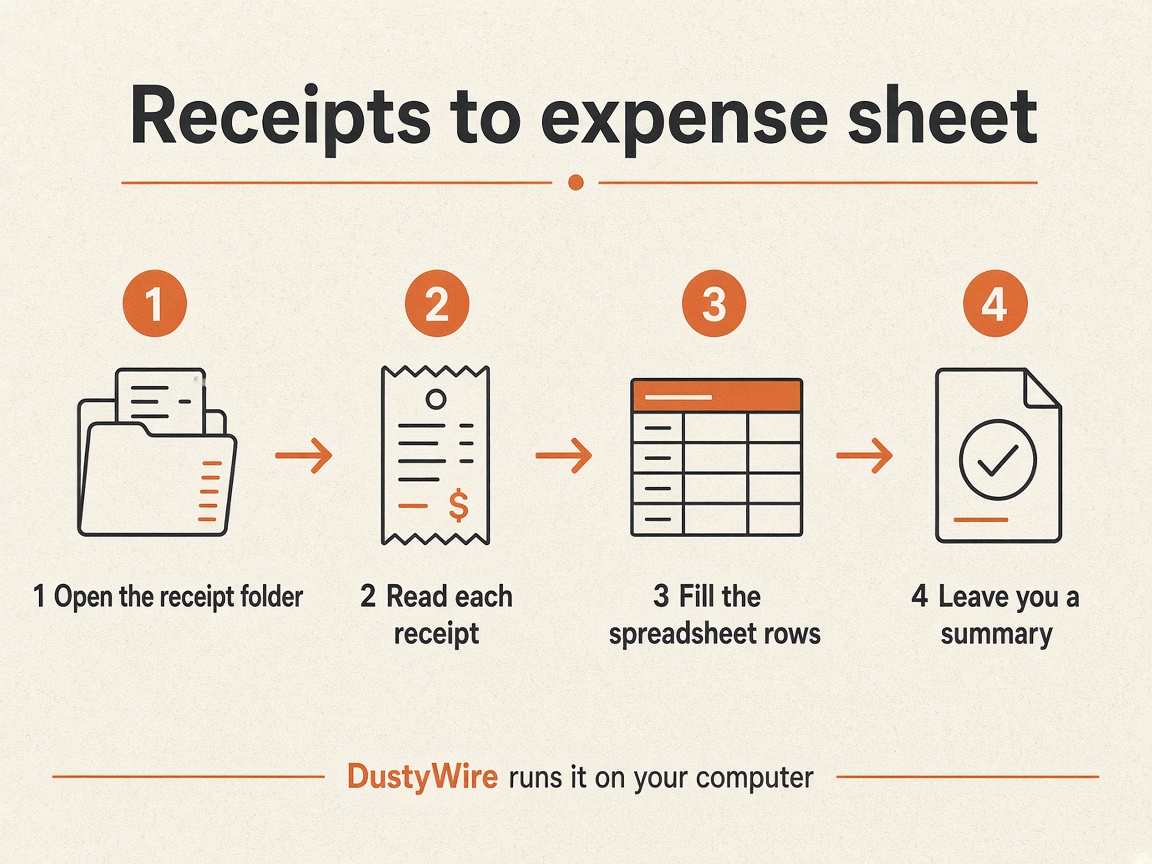
Dusty outlines the steps before it starts: open the folder, read each receipt, write a row, then summarize what it did.
Dusty reads and types
It opens each receipt, pulls vendor, date, amount and category from what it can see, and adds a row. Blurry or missing fields get a note instead of a guess.
You get a summary
When it finishes, Dusty tells you how many rows it added and which receipts need a second look before you submit the report.
What to say
Go through the receipts in my Downloads/Receipts folder. For each one, add a row to Expense Report.xlsx with date, vendor, amount and category. Skip anything that is not a receipt, and list the ones you could not read clearly.
Tips that make it smoother
- Keep receipts in one folder for the month, even if they are mixed PDFs and photos.
- Tell Dusty the exact column names in your sheet so it does not invent new ones.
- Ask it to leave unclear amounts blank and flag them, rather than guessing.
- Save the ask as a named task and run it again next month, or put it on a schedule.
What Dusty will not do
It will not invent numbers it cannot see, submit the expense report for you, or send money. The spreadsheet is yours to review, and the final send stays with you.